/
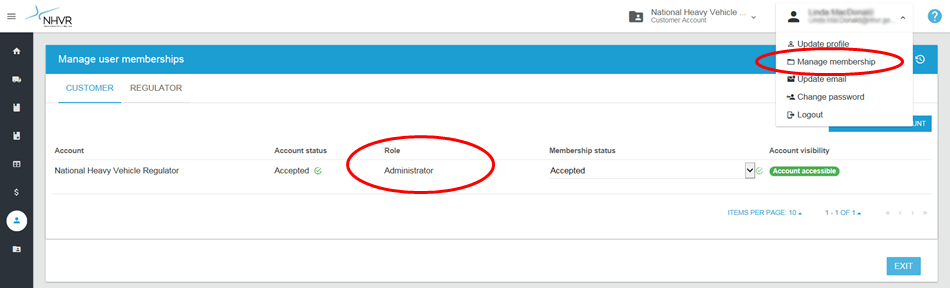
How do I check my user role?
How do I check my user role?
- John Barry
- Linda MacDonald (Unlicensed)
Owned by John Barry
Answer:
In the top navigation, select Manage membership. This will display your user role.
Click here to check the permissions and access assigned to your user role.
For more information on permissions levels, see the User types and roles.
Related content
How do I see all the users in my Account?
How do I see all the users in my Account?
More like this
What does my role allow me to do on the Portal?
What does my role allow me to do on the Portal?
More like this
How do I find out who my administrator is?
How do I find out who my administrator is?
More like this
3. Managing account - User types and roles
3. Managing account - User types and roles
More like this
Why can't I perform some functions - the system says I don't have access.
Why can't I perform some functions - the system says I don't have access.
More like this